What the watch app does
The DragonBoat Hub watch app records a training from your wrist: time, distance, speed, heart rate and stroke rate, which the watch detects from your arm movement. It gives you split cues by vibration or sound, can call the start, and saves the workout to your club and to Apple Health.
You need an iPhone with DragonBoat Hub and an Apple Watch with watchOS 10.6 or later. There is no watch app for Android.
Set it up
- Install the watch app like any other: it comes with DragonBoat Hub. Open the Watch app on your iPhone and install DragonBoat Hub, or let your watch install apps automatically.
- Open DragonBoat Hub on your iPhone once while signed in. That links the watch to your account and club. If the watch shows "Open Dragon Boat Hub on iPhone once to connect your account", do exactly that.
- Allow the watch to use health data (workouts, heart rate) and your location when it asks.
On your iPhone, the Apple Watch card on your Profile shows the status: not paired, app not installed, ready, recording, or a workout being saved.
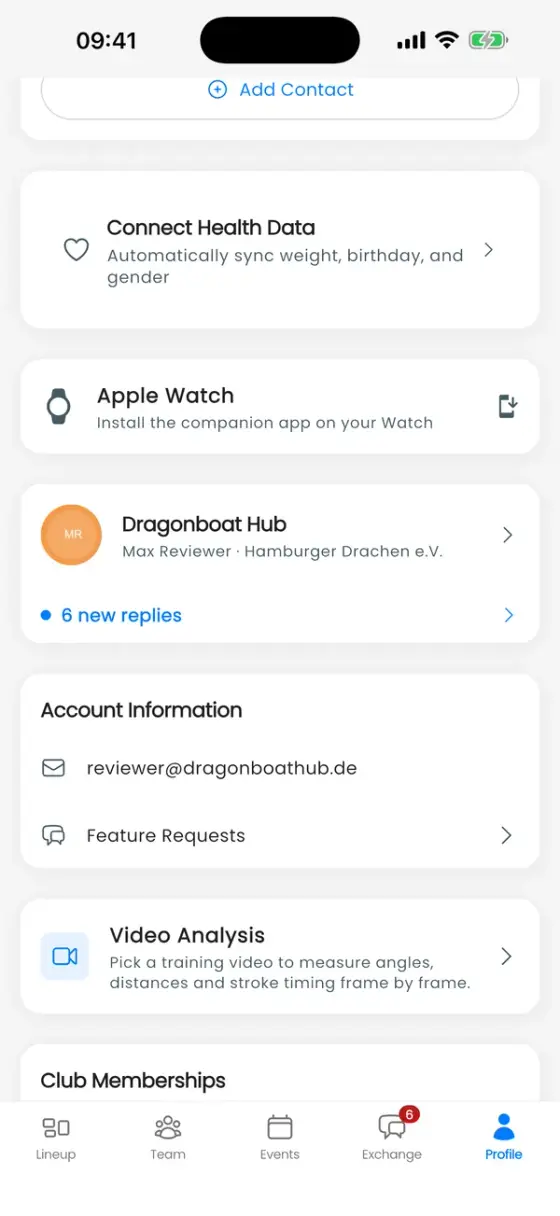
Watch settings
On your iPhone, go to Profile → ⚙ Settings → Apple Watch:
| Setting | What it does | Default |
|---|---|---|
| Show stroke rate | Shows live SPM on the watch instead of calories. | On |
| Auto Split | Off, 100 m, 200 m, 250 m, 500 m or 1 km. | Off |
| Repeat every interval | Keeps adding splits for the whole workout instead of just one. | On |
| Start calls | Plays a five-second "Ready … GO" countdown before recording and before each auto split. | Off |
| Start on movement | Arms the watch and starts the timer once the boat moves. | Off |
| Vibration / Sound | Cues before and at each split. | On / Off |
Changes are sent to the watch and apply to the next workout. Reset Watch settings restores the defaults. Distances follow your unit setting (metric or imperial).
Record on the watch
Open DragonBoat Hub on the watch:
- Quick Workout records without an event.
- To record a training, open that training's page on your iPhone first. The watch then offers a second button with the training's name.
You can also simply start Start Workout on your iPhone: the watch joins in automatically and adds heart rate, energy and stroke rate to the phone's GPS recording.
While recording, swipe between three pages:
- Figures: time, distance, heart rate, speed and stroke rate (or calories).
- Splits: the current split as a ring, your last five splits, Segment for a manual split, and the auto-split setting, which you can change mid-workout.
- Controls: Pause/Resume, Add split, End and Save and Discard Workout.
After the workout
The watch shows a summary (duration, distance, average heart rate, energy, average SPM, strokes, splits) and sends the workout to your iPhone, retrying until it arrives. It also saves it in Apple Health as a paddling workout, so the workout card in DragonBoat Hub shows Synced to Health.
Your watch workouts appear on their training like any other recording, and all of them, including Quick Workouts, are listed under Profile → Apple Watch. How to read them is explained in Workout analytics.
Good to know
- The watch shows speed, not pace. Maps, crew confirmation and sharing are on the iPhone.
- If the watch is out of range of the iPhone, it keeps recording and syncs later.
- Stroke rate is measured at your wrist, so it reflects your own stroke. Give it a few strokes to settle after the start.