Create your account
Download DragonBoat Hub from the App Store or Google Play and tap Let's Go. The app asks a few short questions first:
- Is your club already registered with DragonBoat Hub? Answer Yes if a teammate or coach has given you a club code, No if you are the first person from your club.
- A couple of questions about how you found us. They only help us improve the app and do not change what you can do.
- Create Account with email and password, or with Continue with Apple / Continue with Google.
- Create Your Profile: your name, gender, birthday, weight and side preference. This is your paddler profile, the thing coaches put into a boat.
Already have an account? Tap I'm already registered on the welcome screen and sign in.
Start a new club
If you answered No, the app asks for your club's name and creates the club with you as its Owner. You land on Invite Your Team, which shows your club's six-character invitation code with Copy and Share Invite Code buttons.
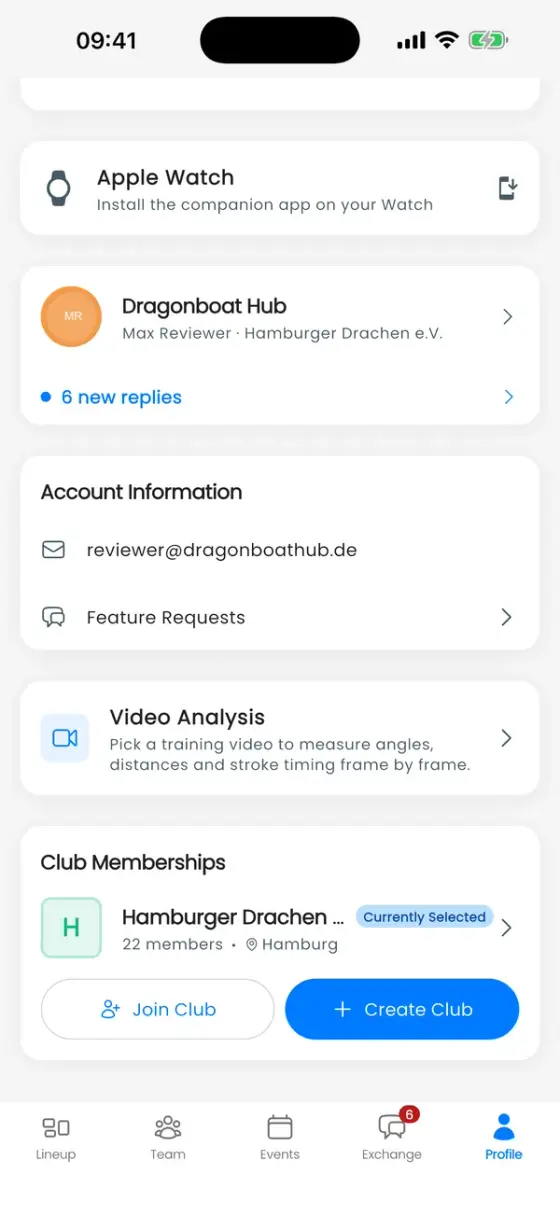
You can also create a club later: Profile → Club Memberships → Create Club.
Join an existing club
Ask your club for its invitation code, then either enter it during sign-up or go to Profile → Club Memberships → Join Club.
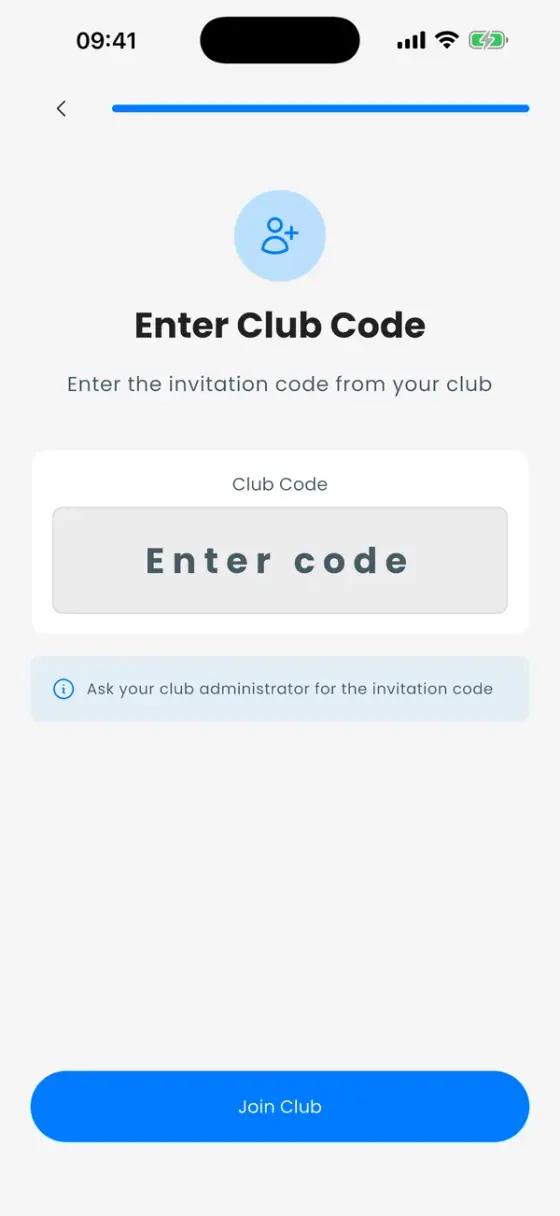
Claim your profile
Coaches often add paddlers to the roster before they have an account. When you join, the app shows Claim Your Profile with the list of unclaimed paddlers. Find yourself and confirm with Yes, That's Me, or choose Create New Paddler if you are not on the list.
After claiming, the app asks for your weight again. That is on purpose: the value your coach typed in is kept for the coach, and from now on you maintain your own.
Invite your team
Every club has one invitation code. You find it under Profile → Club Memberships → tap your club → Details.
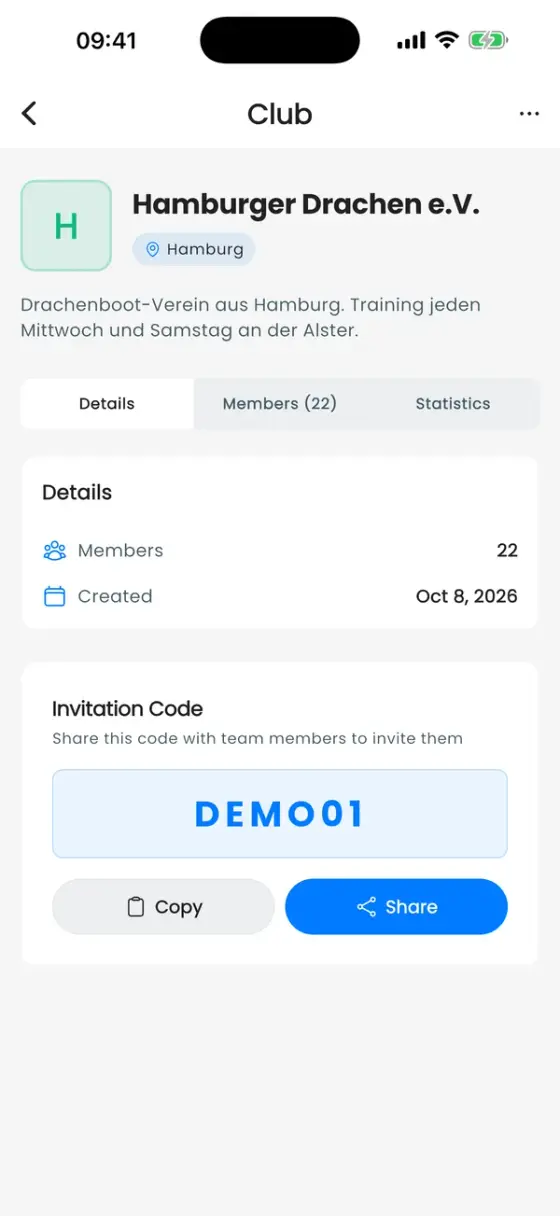
Tap Share to send the code through WhatsApp, email or any other app. Everyone who joins with it starts with the Paddler role. How to give someone more rights is explained in Roles, admins and coaches.
Find your way around
The bottom bar has up to five tabs:
| Tab | What it's for |
|---|---|
| Lineup | Building boat lineups. Only visible to coaches and admins (anyone allowed to see performance data). |
| Team | The roster: all paddlers with weight, side and roles. |
| Events | Trainings, team events and competitions, plus the public race calendar. |
| Exchange | Team chat, announcements, event discussions and direct messages. |
| Profile | Your paddler profile, season stats, clubs and the settings (cog icon, top right). |
Paddlers see four tabs and open the app on Events. Coaches see all five and open on Lineup.
More than one club
If you paddle in several clubs, tap the club name in the top-left corner of a tab to switch between them. To join or create another club, use Profile → Club Memberships.