The Exchange tab
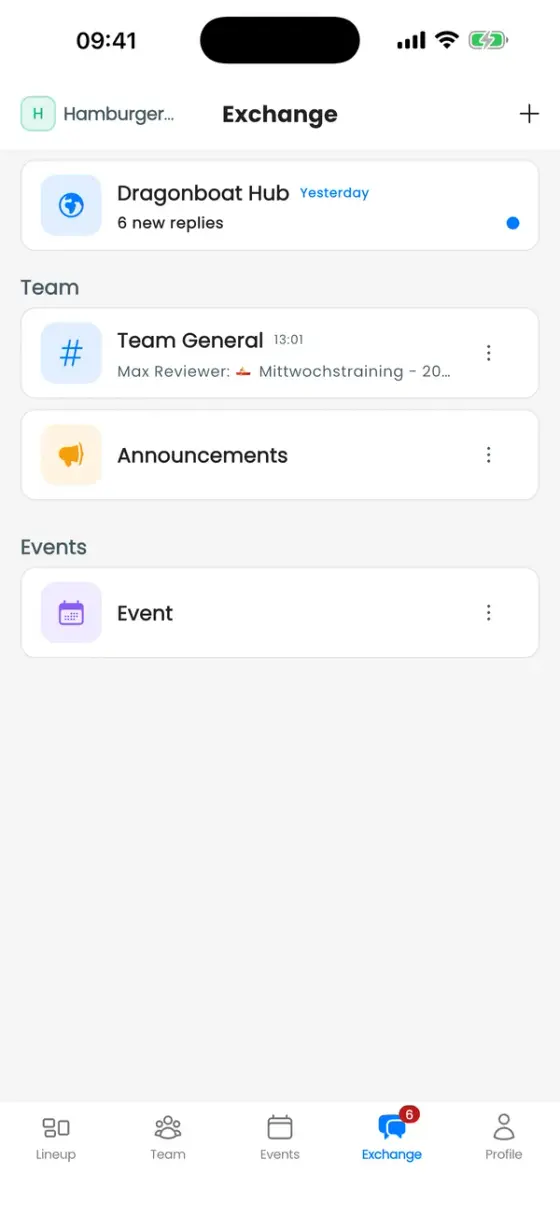
Exchange collects every conversation in your club:
- Team General: the club-wide chat.
- Announcements: only the club's leaders post here, everyone reads.
- Training groups: one channel per group, if the club has switched that on.
- Events: the discussion of each event.
- Channels: topics your club creates, public or private.
- Direct messages: one-to-one chats, if your club allows them.
Write, share and vote
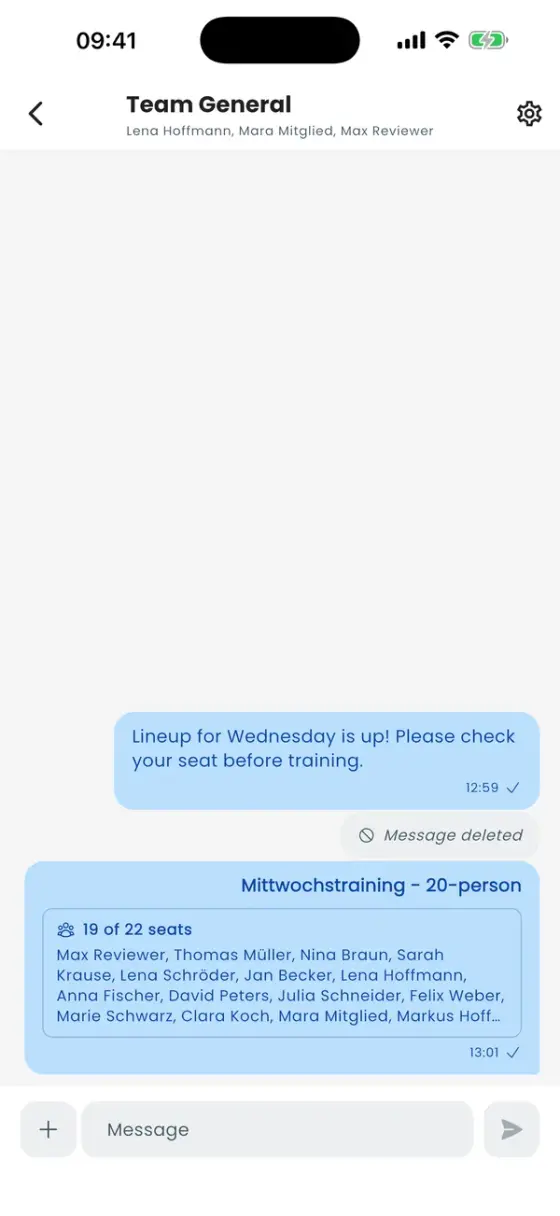
Type your message at the bottom and send it. The + next to the text field adds more:
- Add photo from your gallery or camera.
- New poll with several options, optional anonymous voting and a deadline.
- Event, Lineup or Workout: share a live card. A shared lineup shows who sits in the boat, and always the current version whenever you open the chat.
Press and hold a message to Reply to it or Delete your own (or swipe it to reply). Members with Manage chat can also delete other people's messages.
Start a conversation
The + at the top right of the Exchange tab offers New message (a direct message) and, for roles with Create channels, Create channel. A channel can be private, and you can decide who may post: everyone, certain roles or certain members.
Announcements by email
Members with Send announcement emails can also send an announcement by email: in the Announcements channel, switch on Also send by email and enter a subject. Emails can't be recalled once sent. Members can opt out under Settings → Club announcement emails.
Notifications and privacy
- To mute a single conversation, tap ⋮ next to it in the Exchange list and choose Mute notifications.
- Settings → Share read receipts: if you switch it off, you also won't see other people's read receipts or typing.
- Direct messages are private: club admins can't read them. You can Block someone or Report message to your club's admins.
- Owners decide under club ••• → Edit Club whether direct messages are allowed and whether events and training groups get a chat automatically.
Dragonboat Hub
The Dragonboat Hub row at the top of Exchange opens the community for paddlers from every club: discussions, events, training and stories. To post there you need a public profile and a verified email address.