Find races
Events → Public is the race calendar: public competitions from all clubs, as a list or on a map. The same calendar is on our website at dragonboathub.de/events.
Found a race your club wants to go to? Open it and tap the bookmark icon (Add to club calendar) to put it on your club's calendar.
A race is missing? Anyone can suggest one at dragonboathub.de/events/submit. We check it and add it to the calendar.
Publish your own regatta
Create a new event (Events → +) and choose Competition. Competitions are public: everyone using DragonBoat Hub can find them, so the app asks you to confirm.
Besides date and venue, a competition asks for:
- Registration Mode: In-App Registration (teams register in the app) or External Registration (via your website, email or phone, with the contact details shown on the event).
- Competition classes (Mix, Women, Open, Junior or your own) and race distances (200 m, 500 m, 1000 m, 2000 m or custom).
- Optionally a price per team, a team limit, payment information and a registration deadline.
Public competitions are visible to everyone right away. Anyone can report an event, and we remove anything that doesn't belong there.
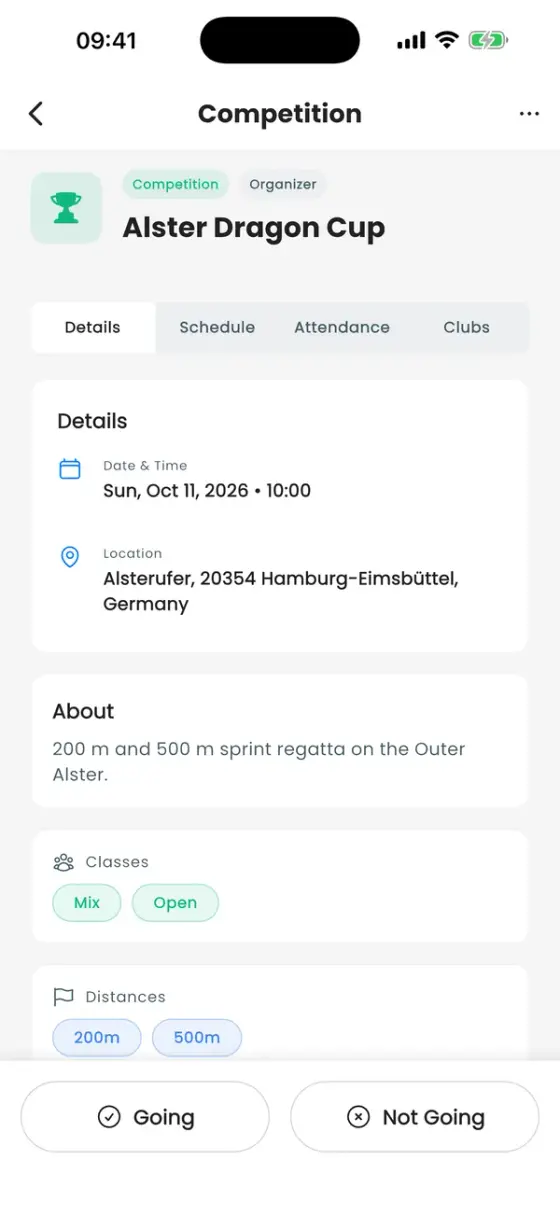
With in-app registration, clubs register with Register for Competition (number of boats, paddlers, classes, distances) and appear on the Clubs tab.
Run the race schedule
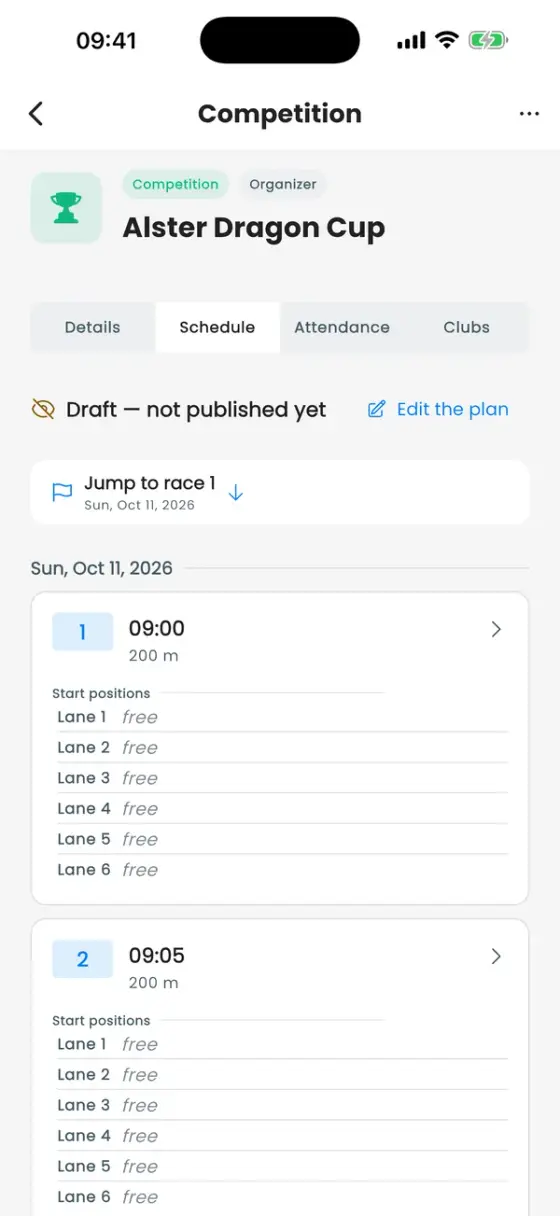
The Schedule tab of a competition is the running order for race day. Organisers (roles with Manage race schedule, and whoever created the event) build it. Everyone else sees it once it's published.
- Tap Create the plan.
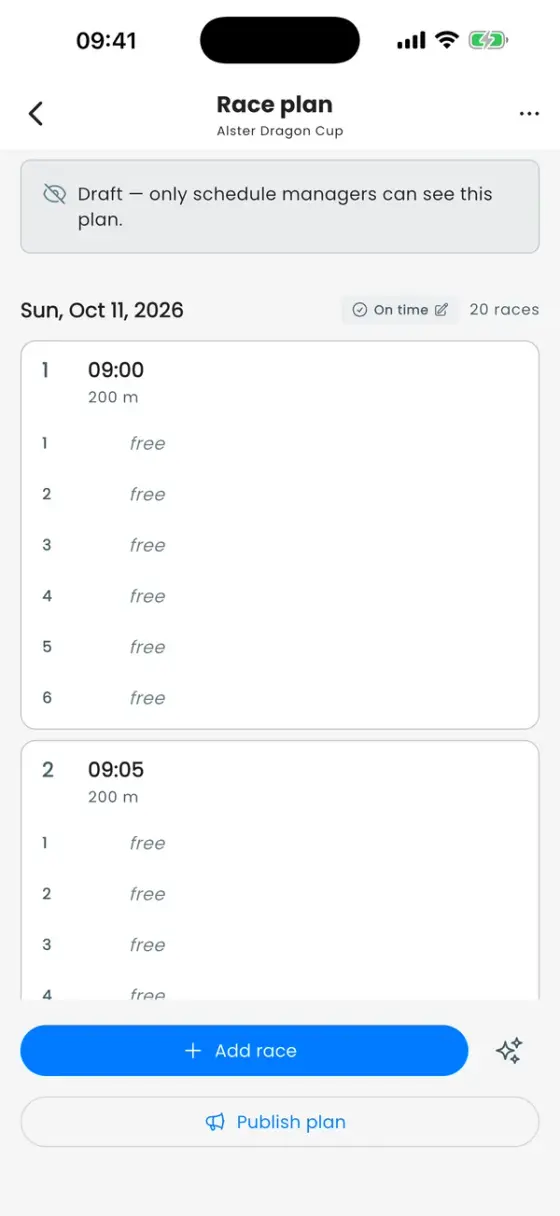
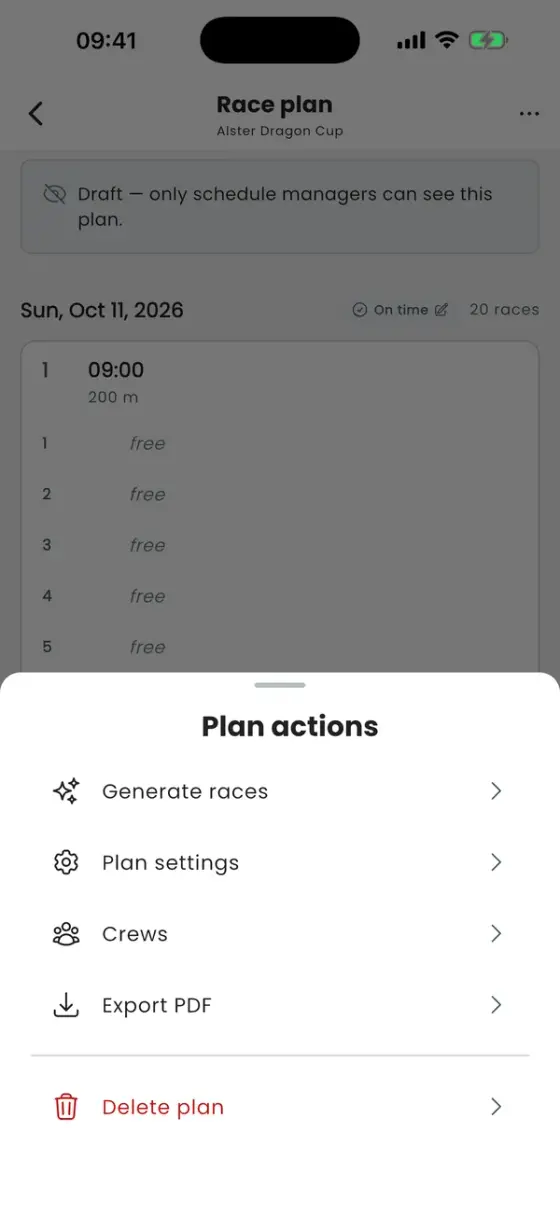
- Generate races: number of races, interval, race day, first start, distance and breaks. The races are added to the plan in one go.
- Under ••• → Crews, import the registered crews (Import from registrations) or add them by hand, then assign them to lanes.
- Publish plan. Until then the plan is a draft that only organisers can see.
On race day
- Set delay shifts the whole day: crews see "Running 10 min late".
- Enter results: time or place per lane, plus DNS, DNF, DSQ and time penalties. You decide whether results are shown right away, only as places, or held back until the ceremony.
- Export PDF: start list, results sheet, or a spectator poster with a QR code to the live running order.
For paddlers and spectators
The Schedule tab shows the next races, start lanes and delays. With Are you …? → Yes, that's us, a crew follows its own races and gets alerts for upcoming starts, delays and results. The schedule also works offline with the last version your phone loaded.
Timing software? Results can also come straight from your timing system via our API. See dragonboathub.de/developers.