Open the settings
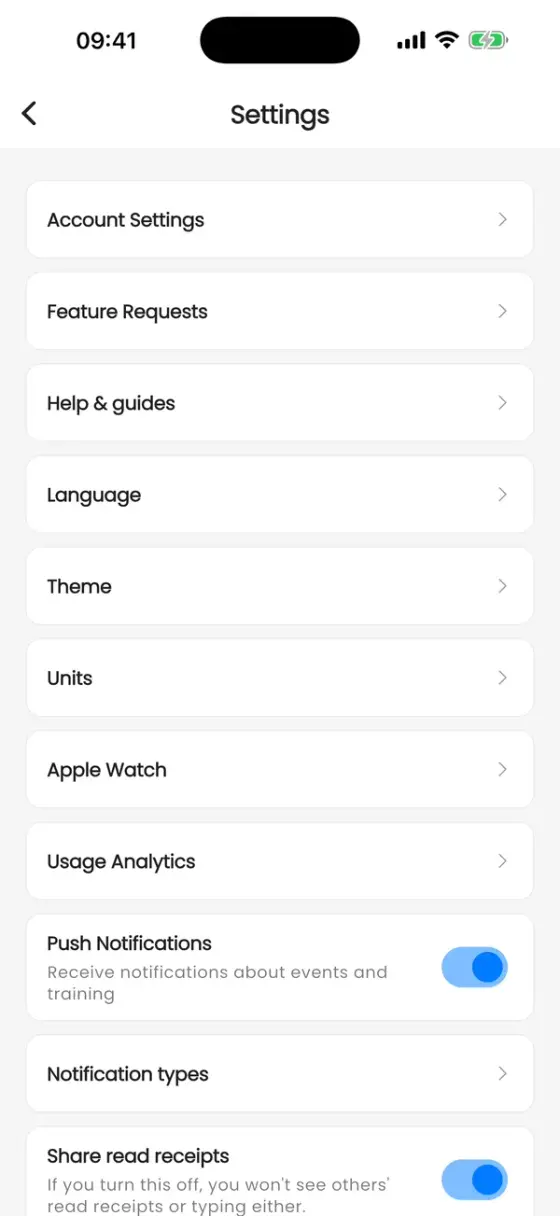
Go to Profile and tap the cog icon in the top right corner.
Language, theme and units
- Language: English, German, French, Spanish, Italian, Dutch, Portuguese, Czech, Hungarian, Polish or Chinese.
- Theme: light, dark or following your phone. Pink Mode is for the Pink Paddlers community.
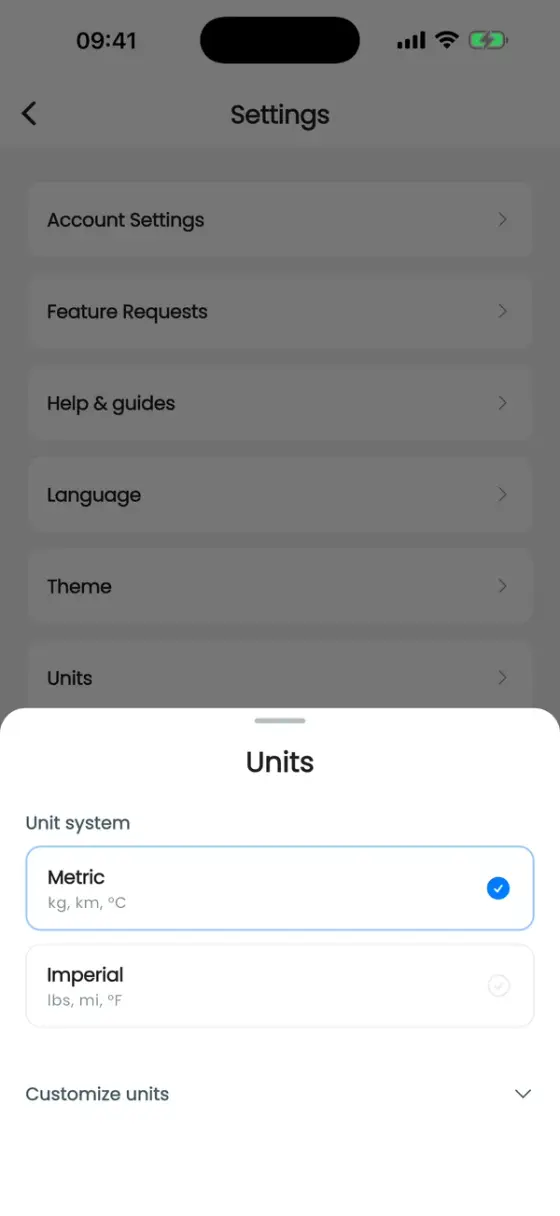
- Units: Metric (kg, km, °C), Imperial (lbs, mi, °F), or mix and match under Customize units, for example kilograms for weight but feet and inches for height.
Notifications
Push Notifications is the main switch. Notification types then lets you pick what you want to hear about:
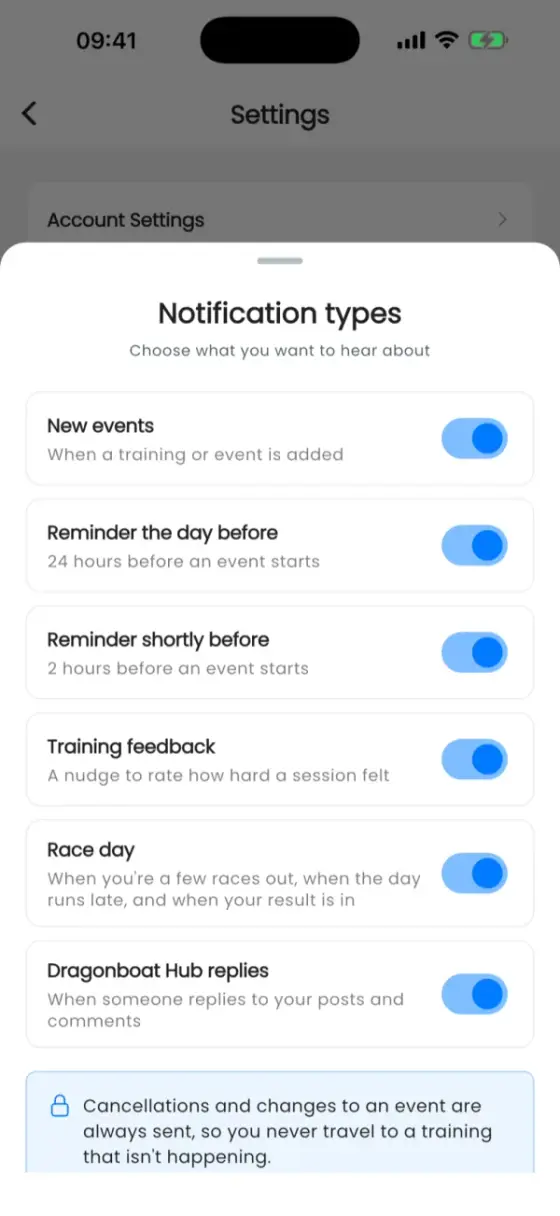
- New events
- Reminder the day before and Reminder shortly before (24 hours and 2 hours before an event)
- Training feedback (the Borg rating nudge)
- Race day: upcoming races, delays and results
- Dragonboat Hub replies
Cancellations and changes to an event are always sent. Individual chat conversations can be muted in the chat itself.
Further down you'll find Share read receipts, Club announcement emails and Calendar Sync, which copies all your club's events into a calendar on your phone.
Your account
Account Settings holds your email address, password and connected sign-in methods (Apple, Google), API keys for race timing software, Logout and Delete My Account.
You can't delete your account while you own a club. Hand the club over first (see Roles, admins and coaches).
Connect Health Data (on the Profile tab) keeps weight, birthday and gender in your paddler profile up to date from Apple Health or Google Health Connect (see Apple Health and Health Connect). Apple Watch (iPhone only) sets up the watch app (see Apple Watch).
Help and feature requests
- Help & guides opens this help center.
- Feature Requests is our public roadmap: vote for ideas, comment, or suggest your own with Suggest a Feature. We read every one, and many of the features on these pages started there.