Open the community
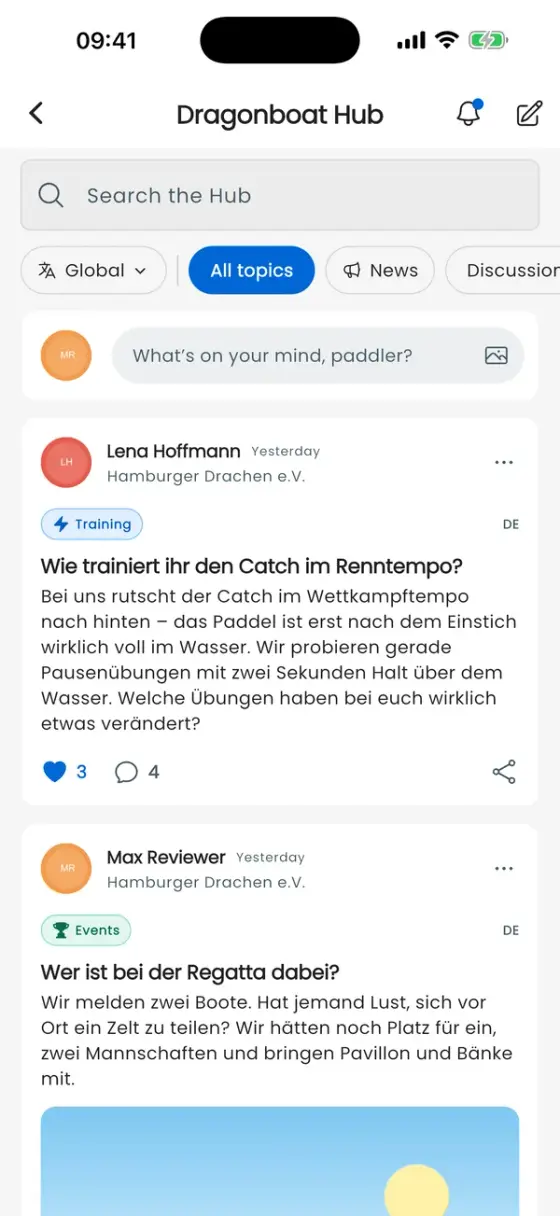
Open Exchange → Dragonboat Hub. This is the public community for paddlers from every club. Club chat is a separate area. You can use the community without joining a club.
Your public profile
Before your first contribution, the app shows the name and photo that will appear publicly, including on shared web pages. Confirm to participate. Edit your name and photo through your existing Paddler profile. Your weight and birthday are not published in your Hub profile.
Tap your avatar to open My Hub profile, including your posts and blocked members. Complete any email-verification prompt before posting or replying.
Read, filter and reply
Use search, topics such as Training or Events, and Reading languages. Global shows every language; filtering does not translate posts. News contains updates from the DragonBoat Hub team.
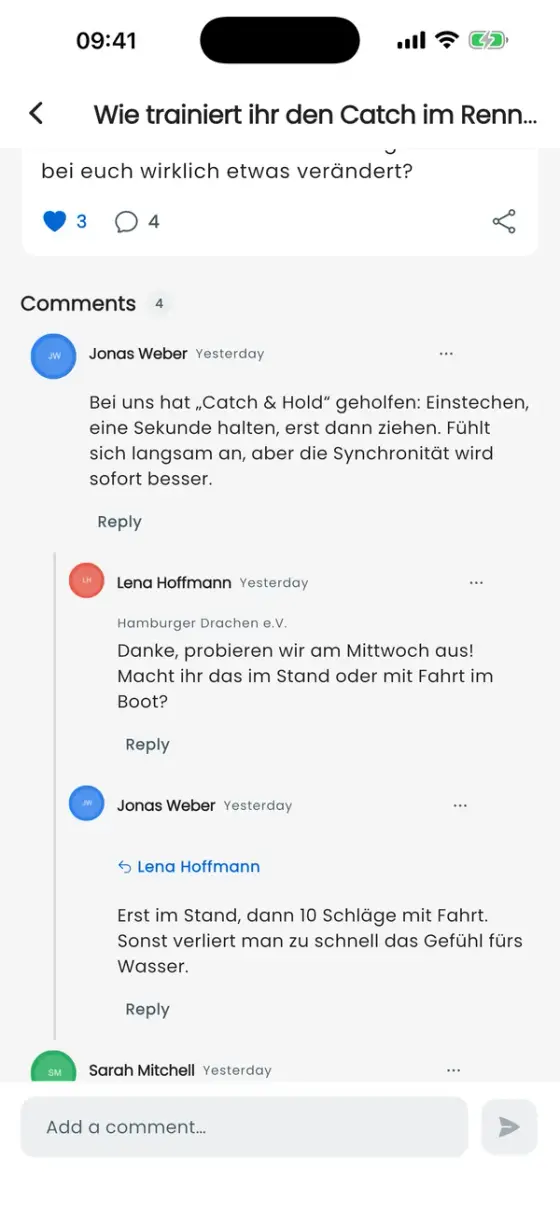
Open a post to read its comments. Tap the heart to add or remove a like. Reply answers a particular comment. Both comments and replies are public.
Write and share a post
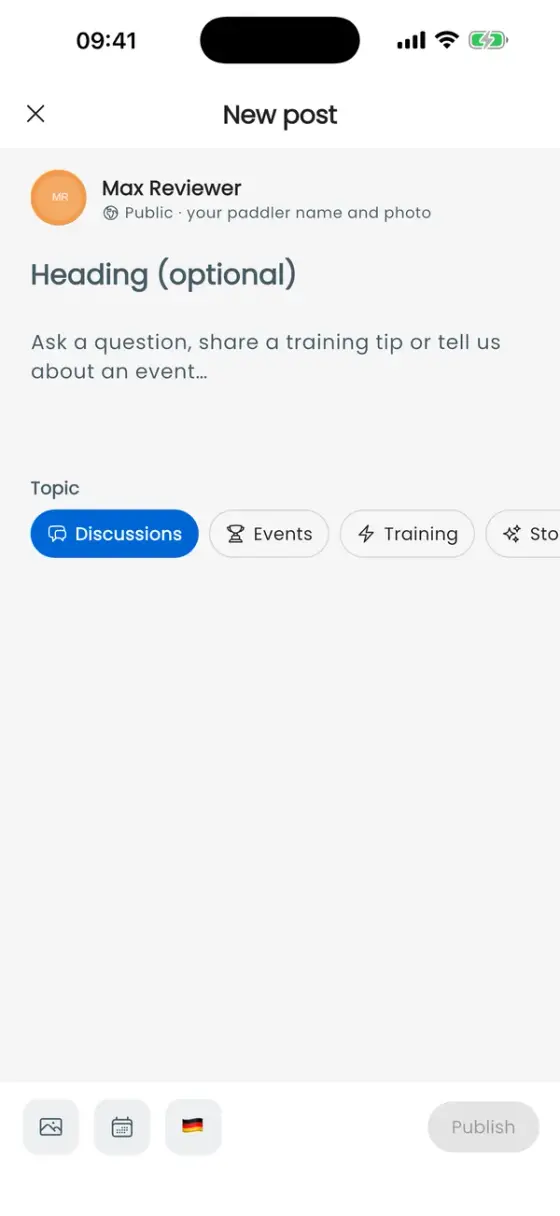
- Tap New post and enter your text; a heading is optional.
- Choose the topic and content language. Attach up to four photos or an available public event if useful.
- Check your content and tap Publish. A draft saved on this device has not been published.
Use Share to pass on the link. Edit or delete your own posts through ⋯. Deleting a post also removes its comments. When sharing a lineup, workout or season moment as an image, check which details the image contains.
Activity and moderation
The bell opens Activity. Mute a discussion through ⋯; the general switch for Hub replies is under Settings → Notification types.
You can report inappropriate posts, comments or profiles. Block affects the person; Mute discussion controls notifications for that conversation.