What the Borg scale is
After a training, a coach usually knows what was planned: 4 × 500 m at race pace, a long steady paddle, technique work. What they don't know is how hard it actually felt for each person in the boat. The Borg scale closes that gap. Every paddler answers one question with one number: how hard was today, from 6 (no exertion at all) to 20 (maximal, you couldn't have done more).
The scale was developed by the Swedish psychologist Gunnar Borg and is used in sports science, physiotherapy and coaching all over the world. It measures perceived exertion (RPE, Rating of Perceived Exertion): breathing, muscles, fatigue, all in one feeling. That makes it simple enough to fill in on the jetty, and surprisingly good at showing how a crew is coping.
| Rating | How it feels |
|---|---|
| 6 | No exertion |
| 7–8 | Extremely light |
| 9–10 | Very light |
| 11–12 | Light |
| 13–14 | Somewhat hard |
| 15–16 | Hard |
| 17–18 | Very hard |
| 19 | Extremely hard |
| 20 | Maximal |
Switch it on
Borg ratings are off until your club switches them on, and then they are requested per training, so you decide which sessions are worth rating.
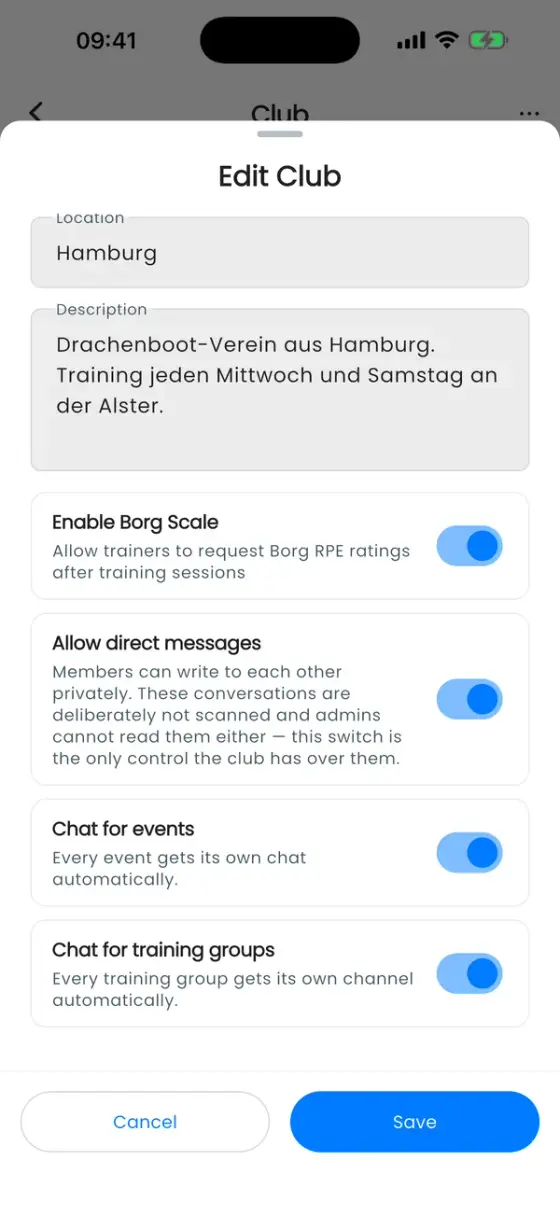
- For the club: the owner opens the club menu ••• → Edit Club and switches on Enable Borg Scale.
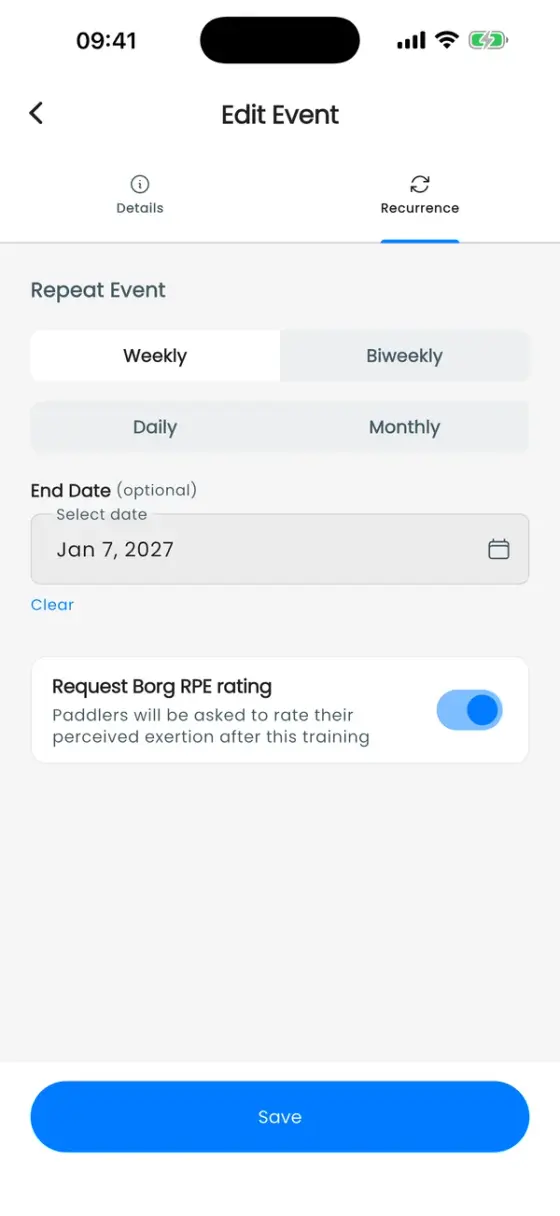
- For a training: when you create a recurring training, switch on Request Borg RPE rating in the Repeat Event step. For an existing training, open it, edit it and switch it on there.
Rate a training
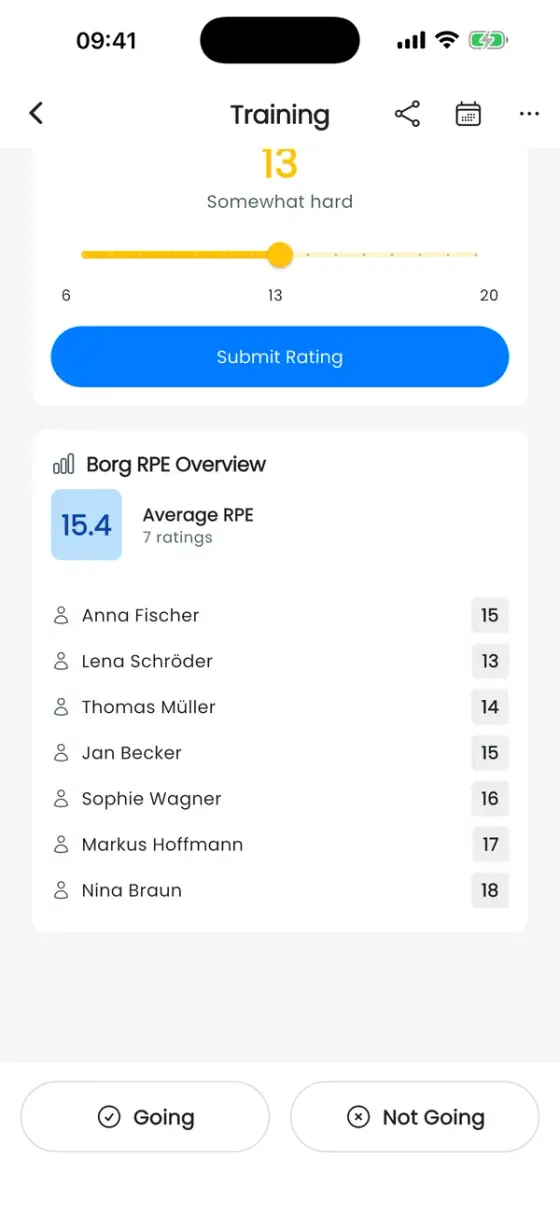
Once the training is over, a Perceived Exertion (Borg Scale) card appears on the training's details. Slide to the number that matches the session, check the description next to it, and tap Submit Rating. The card then shows Your Rating.
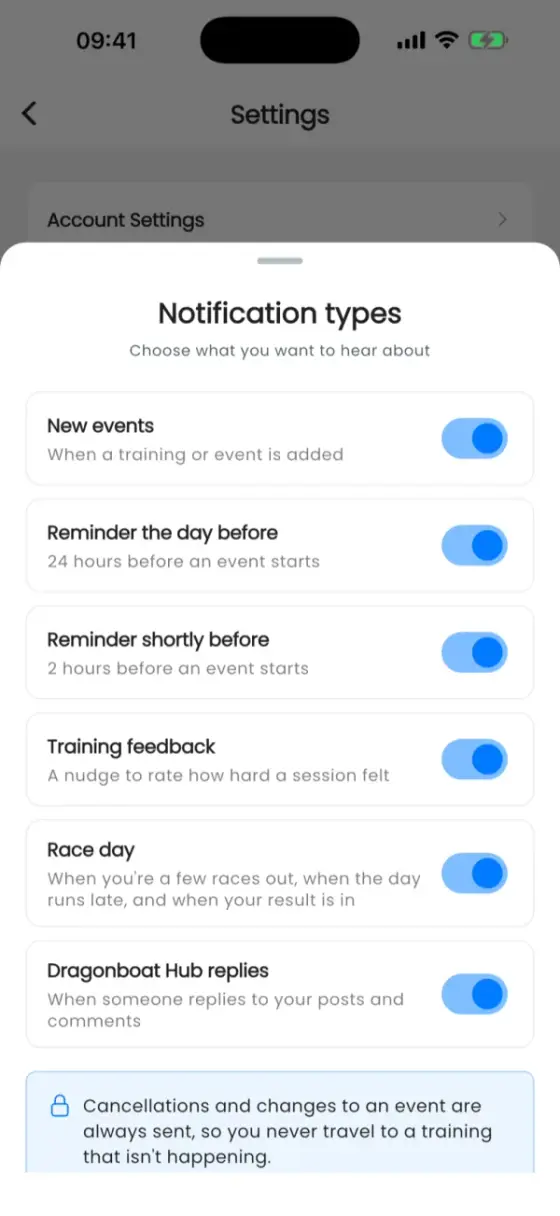
About two and a half hours after the training started, everyone who answered Going gets a reminder to rate. You can switch that reminder off under Settings → Notification types → Training feedback (see Settings).
A few tips for honest ratings:
- Rate the whole session, not just the last piece or the warm-up.
- Rate how it felt, not how it should have felt. A "light" plan that felt hard is exactly what your coach wants to know.
- Rate on your own. Comparing numbers in the boat first nudges everyone towards the same answer.
What coaches see
Owners, admins and trainers see a Borg RPE Overview on the same training: the crew's Average RPE, how many paddlers rated, and each paddler's rating. Paddlers only ever see their own number.
Using it to plan training
One rating says little. The value comes from comparing them, and that's where the scale turns into a planning tool:
- Planned vs felt. Before the session, decide what it should feel like: a steady endurance paddle maybe around 11–13, race-pace pieces 15–17. If the crew average lands far above the plan, the session was harder than intended, and the next one should probably be easier, not harder.
- Hard days hard, easy days easy. A common trap is that easy sessions creep up to "somewhat hard" and the hard sessions never get really hard. If your recovery paddles keep coming back at 14, the crew has no fresh legs left for the days that count.
- Spot the individual. When most of the boat rates a session 13 and one paddler rates it 18, that's worth a quick chat: maybe illness, poor sleep, a heavy work week or the start of an overload. The overview makes that visible without anyone having to speak up in front of the crew.
- Same session, weeks apart. Repeat a benchmark session, for example the same interval set, every few weeks. If the times hold or improve while the rating drops, the crew is getting fitter.
- Before a regatta. In the last days before a race, ratings should come down as you taper. If they don't, the crew may be carrying fatigue into race day.
- Combine with the data. Ratings are perfect next to the numbers from a recorded workout: when speed and stroke rate look the same but the rating jumps, something has changed in the boat.
Ratings work best when everyone fills them in regularly, so keep it light: one number, ten seconds, every time it's switched on.