Prepare before training
Sign in online and select the right club. Load the events, lineups and emergency contacts you need on this device. Stored data can be shown without a connection, but may be out of date. A new device does not yet have that local data.
What works without a connection
| Area | Offline behaviour |
|---|---|
| Club data and race schedule | View data already loaded; new or unfamiliar content needs a connection. |
| Lineups and paddler data | Supported local edits are saved and queued for sync. Auto needs internet. |
| Workout recording | Recordings stay on the device and upload later. Maps may be unavailable without loaded map tiles. |
| Community, invitations and administration | New posts and actions that need the server require a connection. |
| Emergency contacts | Read loaded contacts; changes need a connection. |
A workout that has not synced
Finish a recording with End & Save. Not synced means some data still needs to reach the server; this can include splits.
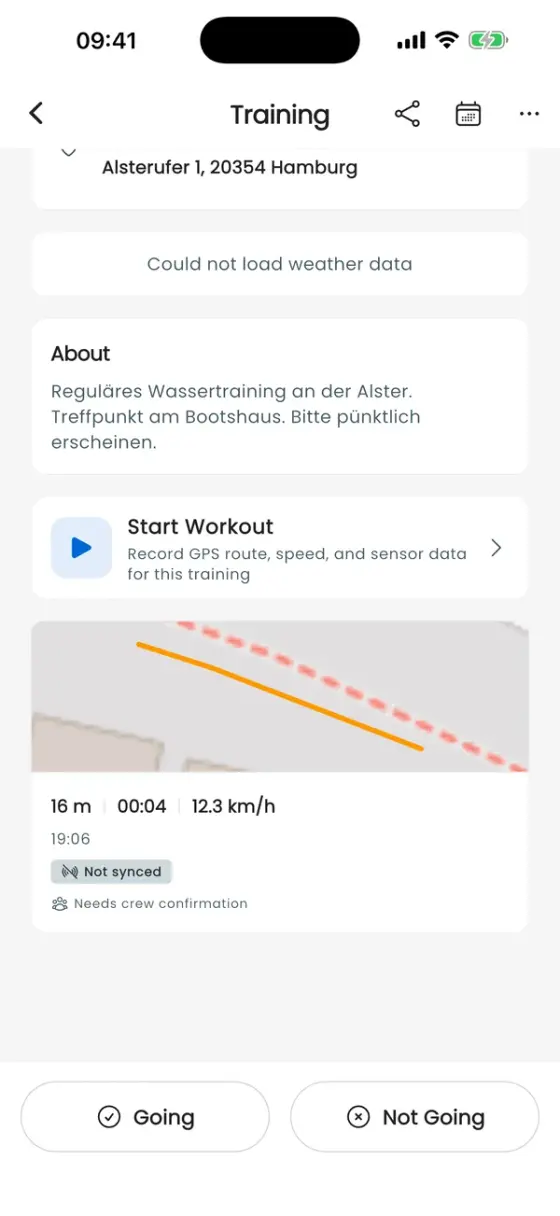
Tap the indicator to see the explanation and Retry now. Restore your connection and try again. The app also retries automatically. Afterwards, check that the indicator has disappeared.
Pending or rejected changes
Saved locally · waiting to sync does not yet mean the server confirmed your changes. Keep the app open online. If app and server versions differ, follow the update or restart message; local changes are retained.
For Some changes need review, read the details first. Use server version discards rejected paddler edits; rejected lineups remain in your personal drafts. Changes still waiting to sync are kept. Choose this deliberately.
Do not delete the app or its local data while important recordings or changes are pending. For missing recordings, first check your account, club and event. Workout analytics and Statistics explain where uploaded data appears.