The Team tab
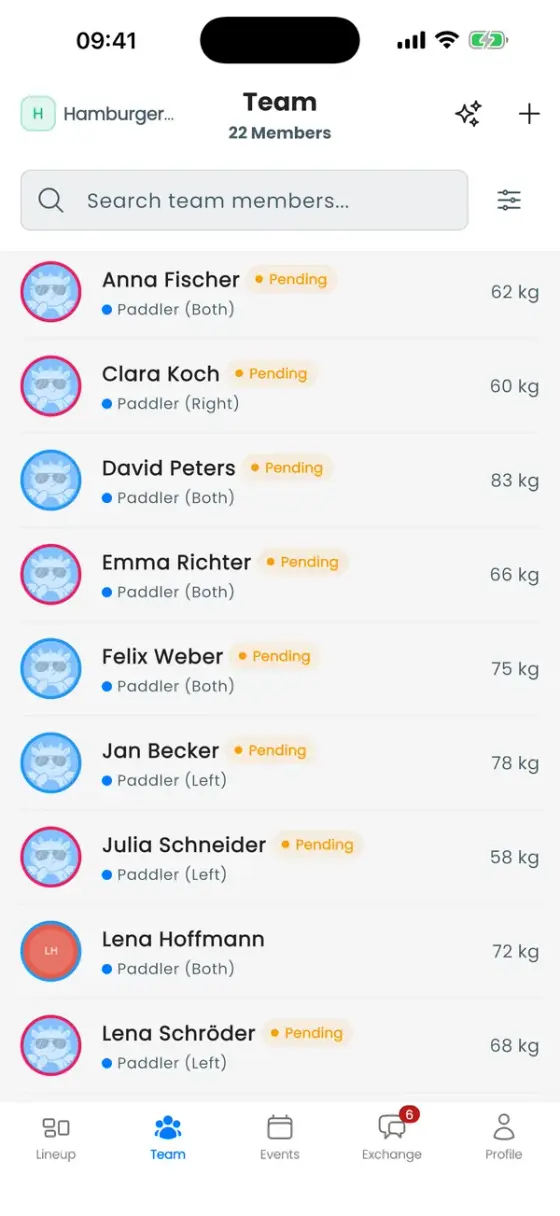
The Team tab lists every paddler in the club. A Pending badge means the coach created the profile but the person hasn't joined with their own account yet.
Coaches and admins see a + button to add a paddler and a sparkles button for AI team import. Use the search field to find someone, or the filter button next to it.
Add paddlers
- One at a time: tap + and fill in the form. Only the name and weight are required.
- The whole roster at once: tap the sparkles icon (AI team import) and upload a CSV or Excel file. The import recognises columns, converts units and shows which rows need a second look before you import them.
Paddlers you add appear as Pending until they join with the invitation code and claim their profile (see Getting started).
The paddler profile
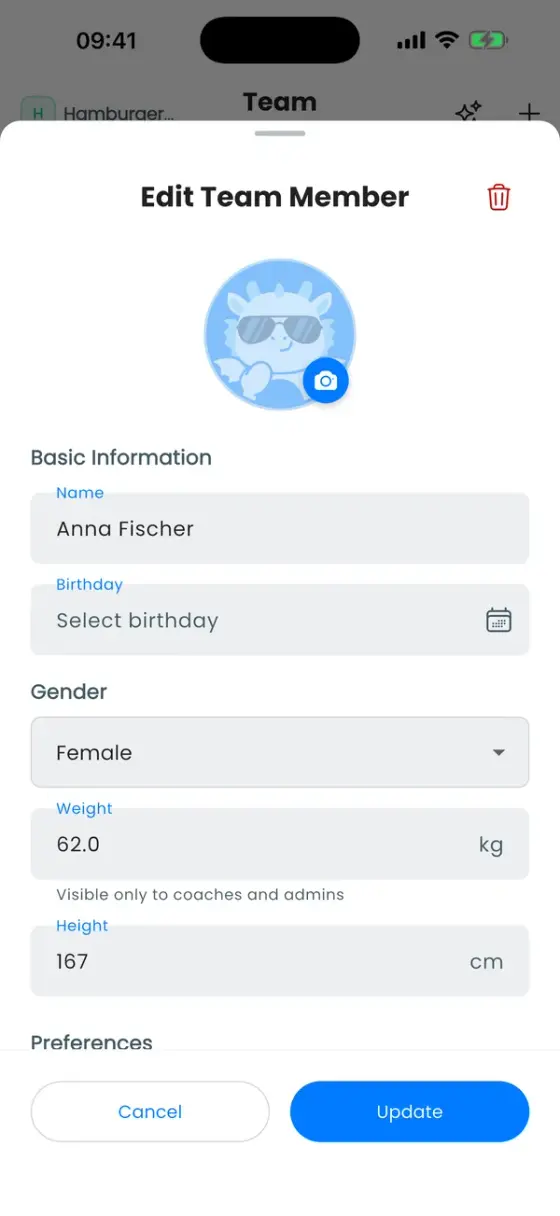
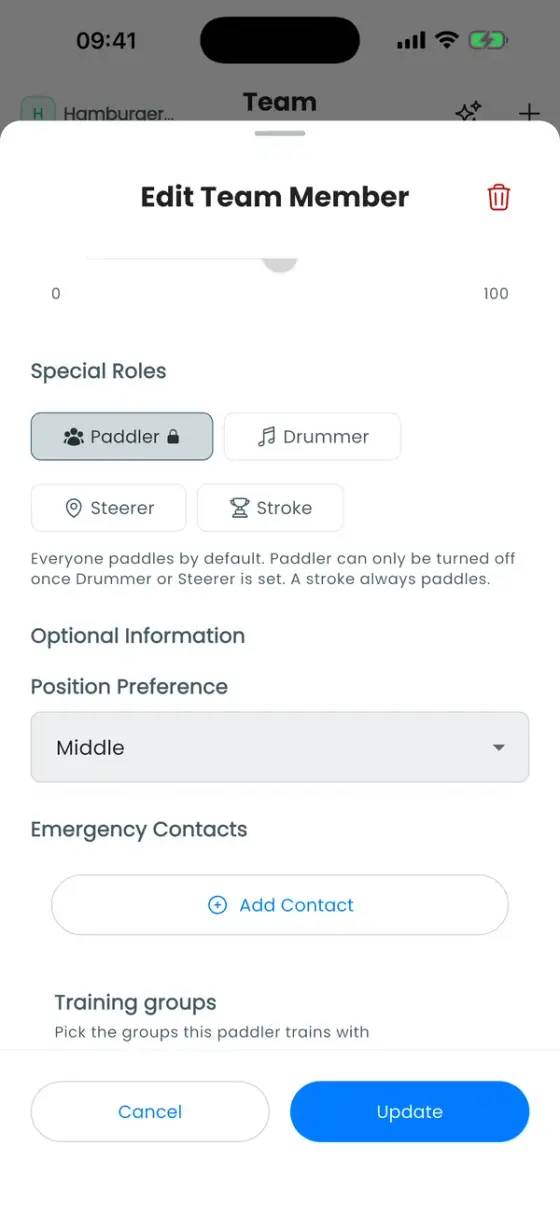
Tap a paddler to edit them. Coaches and admins can edit everyone, paddlers can edit their own profile. Everyone else sees a read-only card.
| Field | What it does |
|---|---|
| Weight | The most important number for balancing the boat. Visible only to coaches and admins. |
| Height | Stored for your records. The automatic lineup does not use it. |
| Side Preference | Left, Right or Either. A wish, not a rule. |
| Excluded Side | A side this person must not paddle on, for example because of an injury. Auto never puts them there. |
| Propulsion Score | Optional, coaches only. How much power someone puts on the water, from 1 to 100. Lets the lineup balance power between left and right. A 0 counts as "no score". |
| Special Roles | Paddler, Drummer, Steerer, Stroke. A drummer or steerer who doesn't paddle can switch Paddler off. A stroke always paddles. |
| Position Preference | Front, Middle or Rear of the boat. |
| Birthday | Used for the IDBF age category (Premier, Sr A, Sr B, …), which is calculated automatically. |
How these fields feed into the automatic lineup is explained in How the automatic lineup decides.
Who sees weights
Weight, height and propulsion score are only shown to roles with View performance data (owner, admin and trainer by default). Paddlers can always see and edit their own.
Training groups
Split the club into groups such as "Competition team" or "Beginners": open the club, go to the Members tab and tap Training Groups. Events can be limited to certain groups, the roster and event list can be filtered by group, and each group can get its own chat channel.
Export the roster
Members tab → Export roster downloads a ZIP with two CSV files: the full roster and every RSVP in the period you choose.
Away for a while
Paddlers can mark themselves as away under Profile → Availability: sick, vacation or inactive, from a start date until an end date (or open-ended), with an optional note. A switch can also decline the RSVPs they had already given for that period.